Workouts
Row the plan
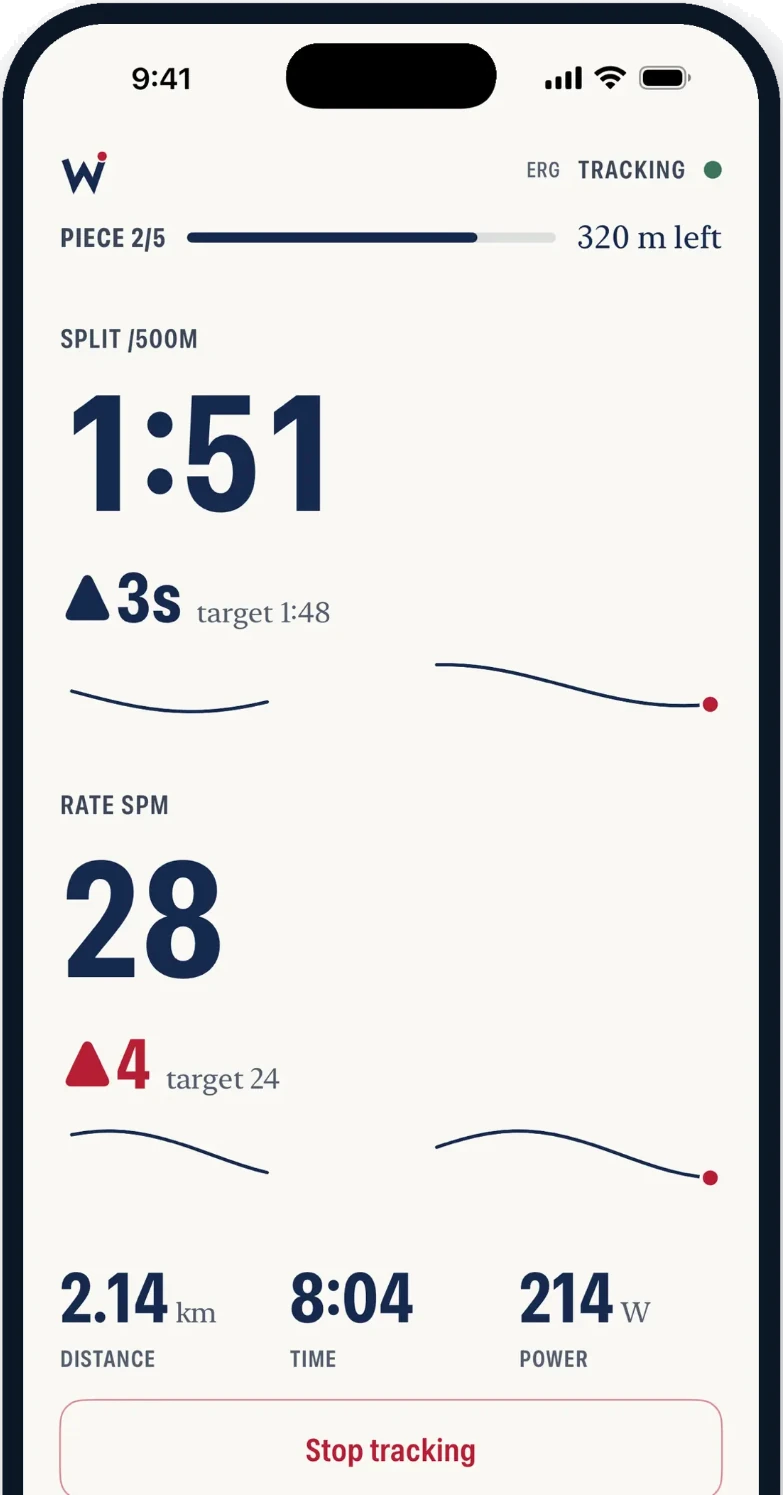
Every piece’s target split and rate, and how close you are to it.
Rowing & erg tracker for iPhone and Apple Watch
Tap row and put the phone down. Wake measures the outing, on the water or the erg, and keeps it. So the piece you row today has something to answer to next season.
FreeNo account needed to start. Sign in later and your history follows you.
How it works
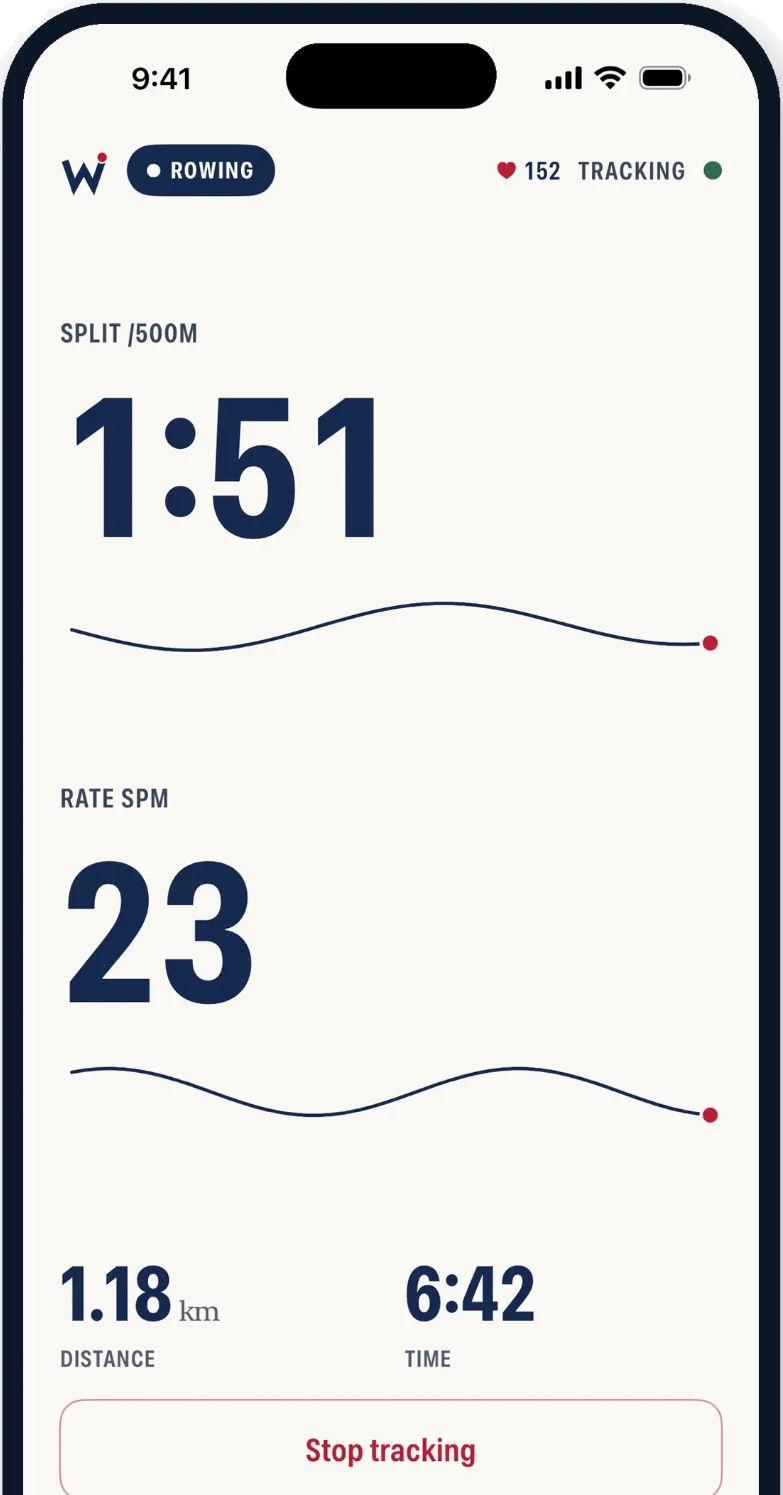
No unit to mount, no intervals to program, nothing to type in afterwards. Your phone is the whole kit.
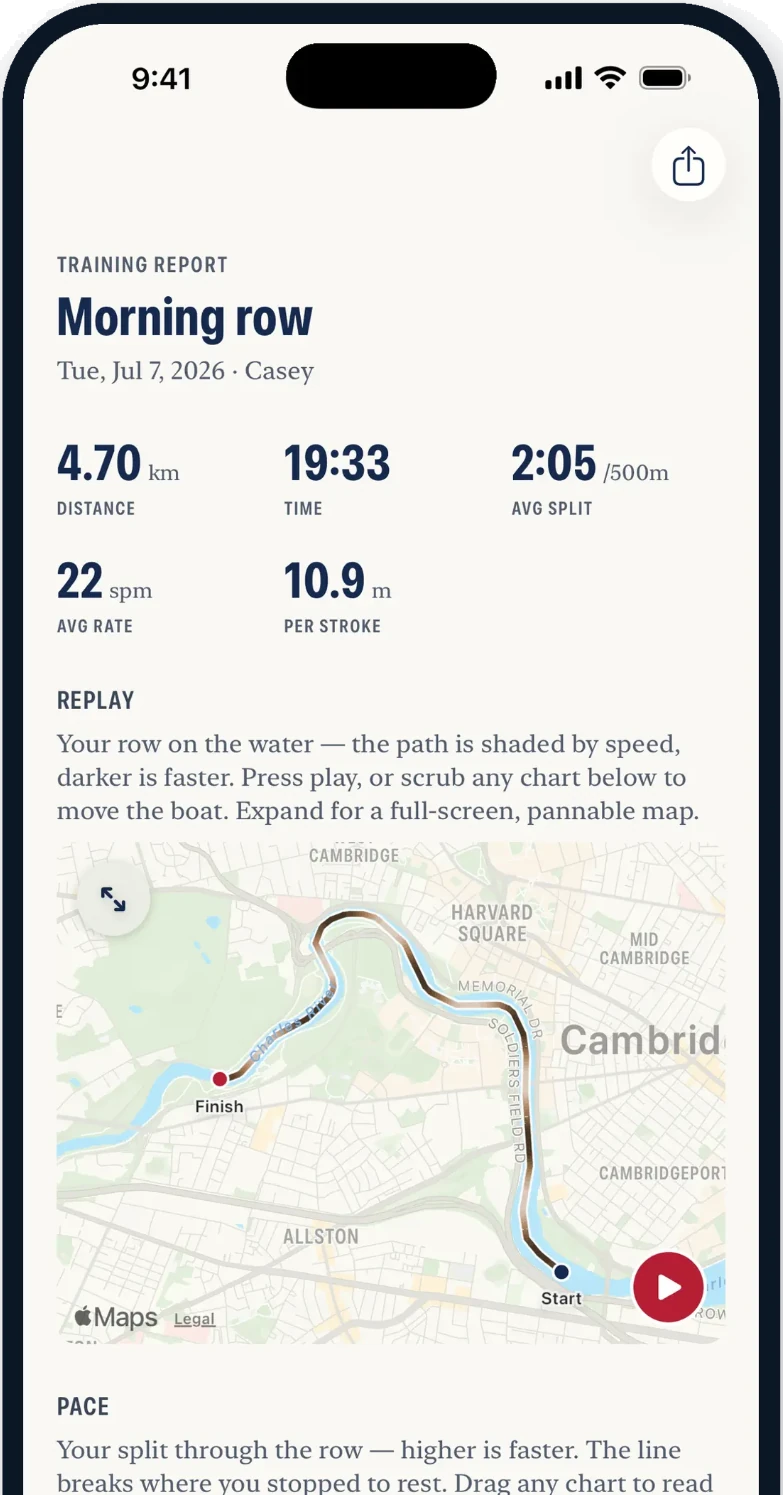
Split, pace, rate and the line you actually steered. Watts and drag factor straight off the erg.
Pieces are found for you and filed. The same 500 a season apart, side by side, without you keeping a spreadsheet.
Workouts
Every piece’s target split and rate, and how close you are to it.
Crew boats
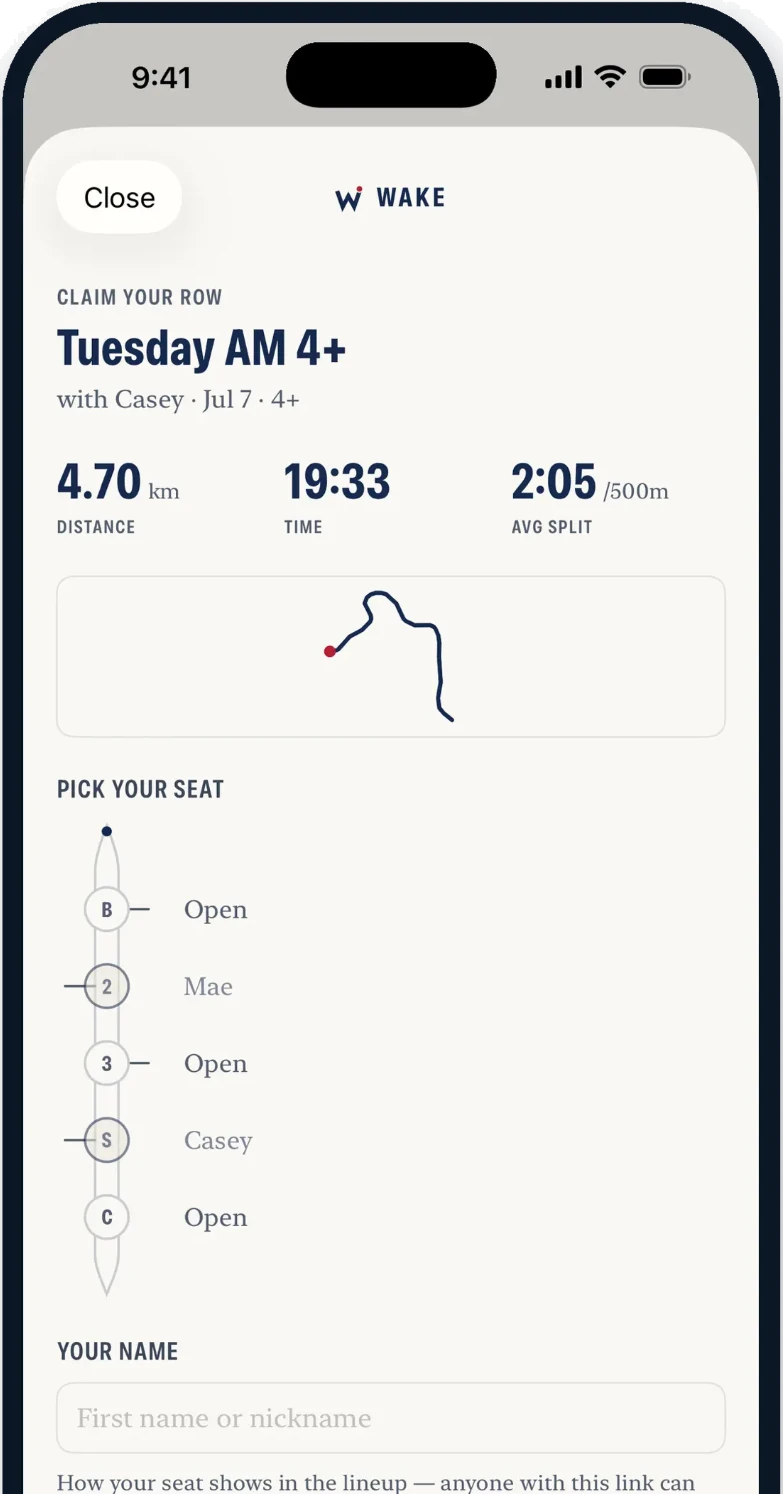
One phone records the crew. Each rower claims a seat and keeps the row.
Wake Pro
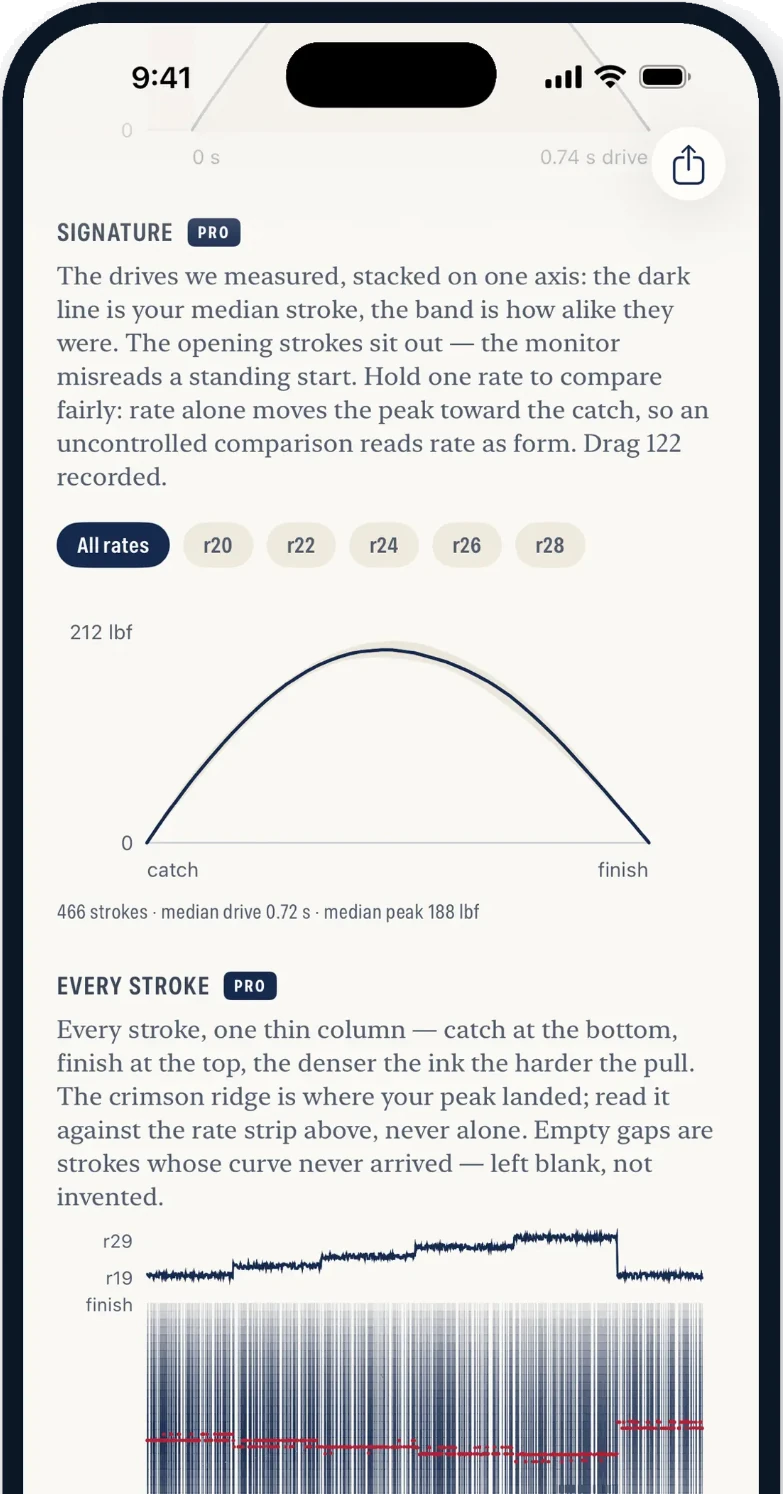
Your Concept2 force curve, stroke by stroke.
Wake Pro
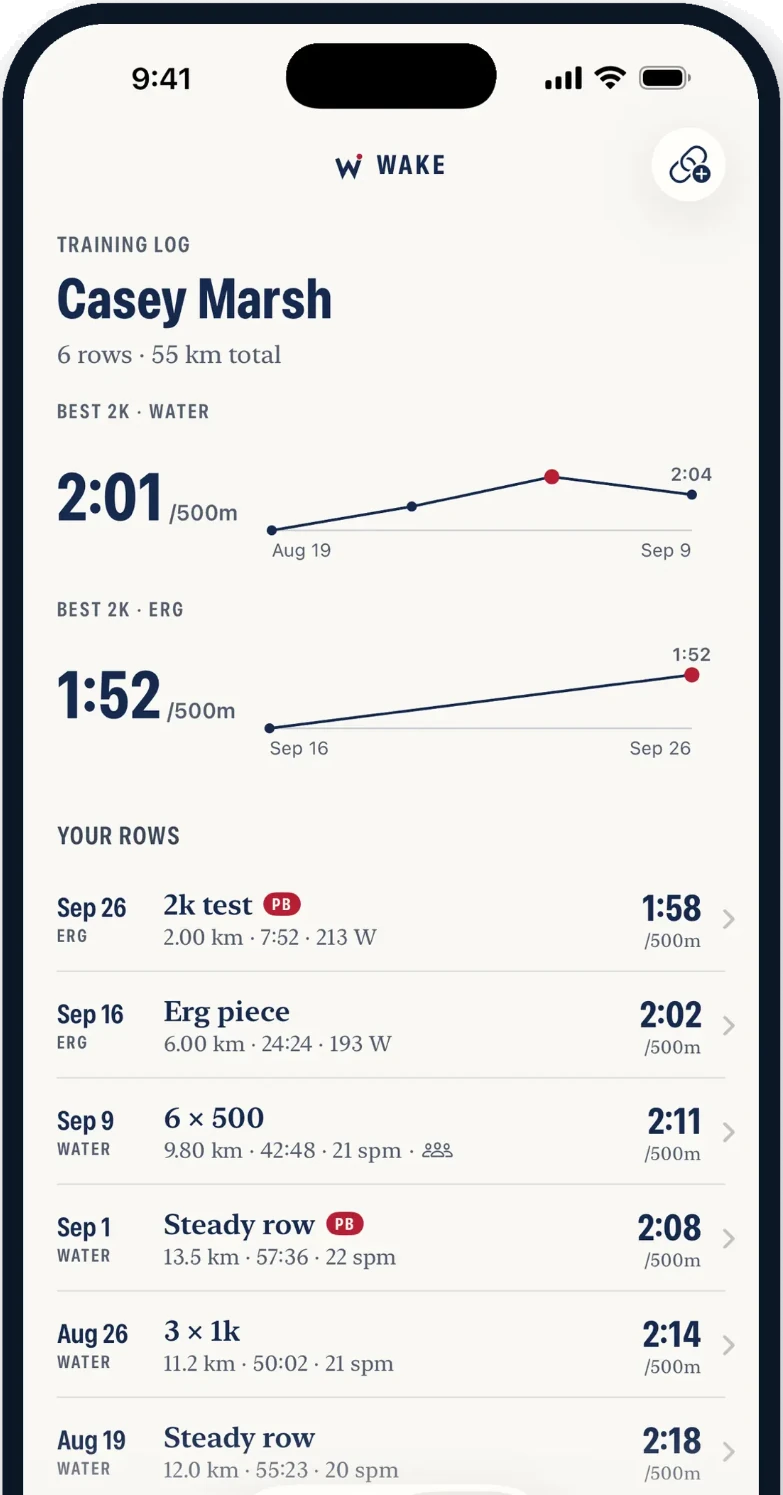
Every row, your bests and your trends, as far back as you’ve rowed.
Water and erg
Water and erg land in the same history, measured in the same units, compared the same way.
| On the waterHoover Reservoir · 8 Sep | On the ergConcept2 · 1 Sep | |
|---|---|---|
| Session | Pyramids of Hoover | Degrees of Difficulty |
| Distance | 11,641m | 8,991m |
| Time | 91:10 | 47:02 |
| Best sustained piece | 2:16/500m | 2:11/500m |
| Stroke rate | 24spm | 23spm |
| Per stroke | 7.6m | 9.7m |
| Rhythm | 1:1.8 | 1:2.1 |
| Only here | The line you steered (19 m of wander, typically) and the route, replayed. Heart rate from the Watch. | Power at 134 W, a 1.25 m drive, and the force curve of every stroke. |
Two real outings, a week apart, with the name taken off. Split is shown as each row’s best sustained piece rather than its session average: a water split carries the wind, the turns and every stop, so the averages are not the same quantity. What is the same is everything else, and that it all landed in one history.
In the boat. Nothing else to mount.
Bluetooth, straight off the erg.
Record it once. Wake sends it on to the places your training already lives.
Every row written back as a workout, with the route and, on the erg, the energy the machine actually measured.
Erg pieces post straight to your Logbook. No screenshots of the monitor, no typing it in twice.
Heart rate on the water, where the phone has none, plus start, stop and split from your wrist.
Export a standard FIT file with stroke rate and watts intact, and upload it wherever you like.
Wake Coach
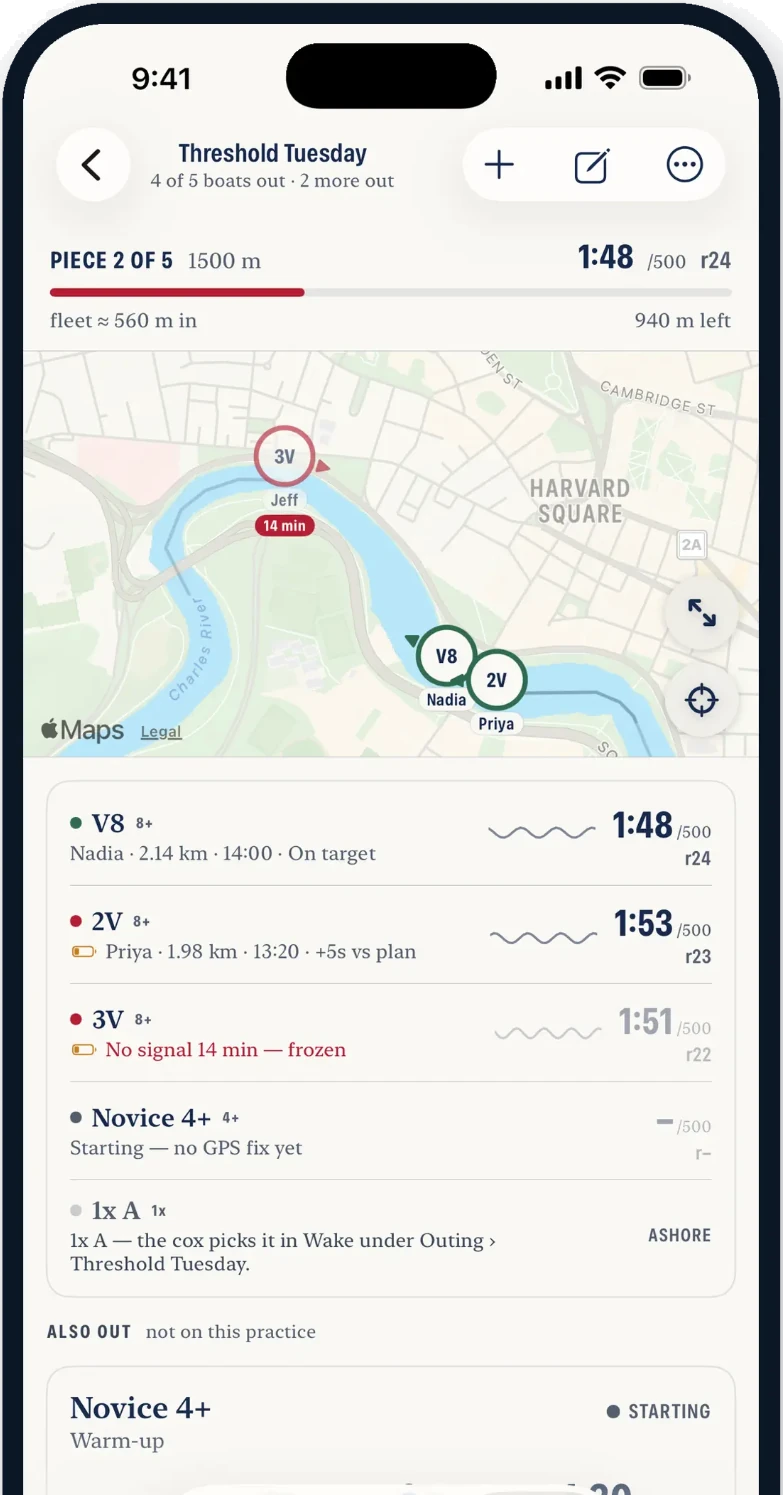
Your squad’s launch on one screen: split, rate and position, live from each crew’s own phone. Nothing to rig, nothing to hand out, and by the time the trailer is loaded the practice is already the record.
FreeOne squad, up to 12 athletes. No card, no trial clock.
ProgramsLicense the club: every squad, the live launch view and the analysis.
Live regattas
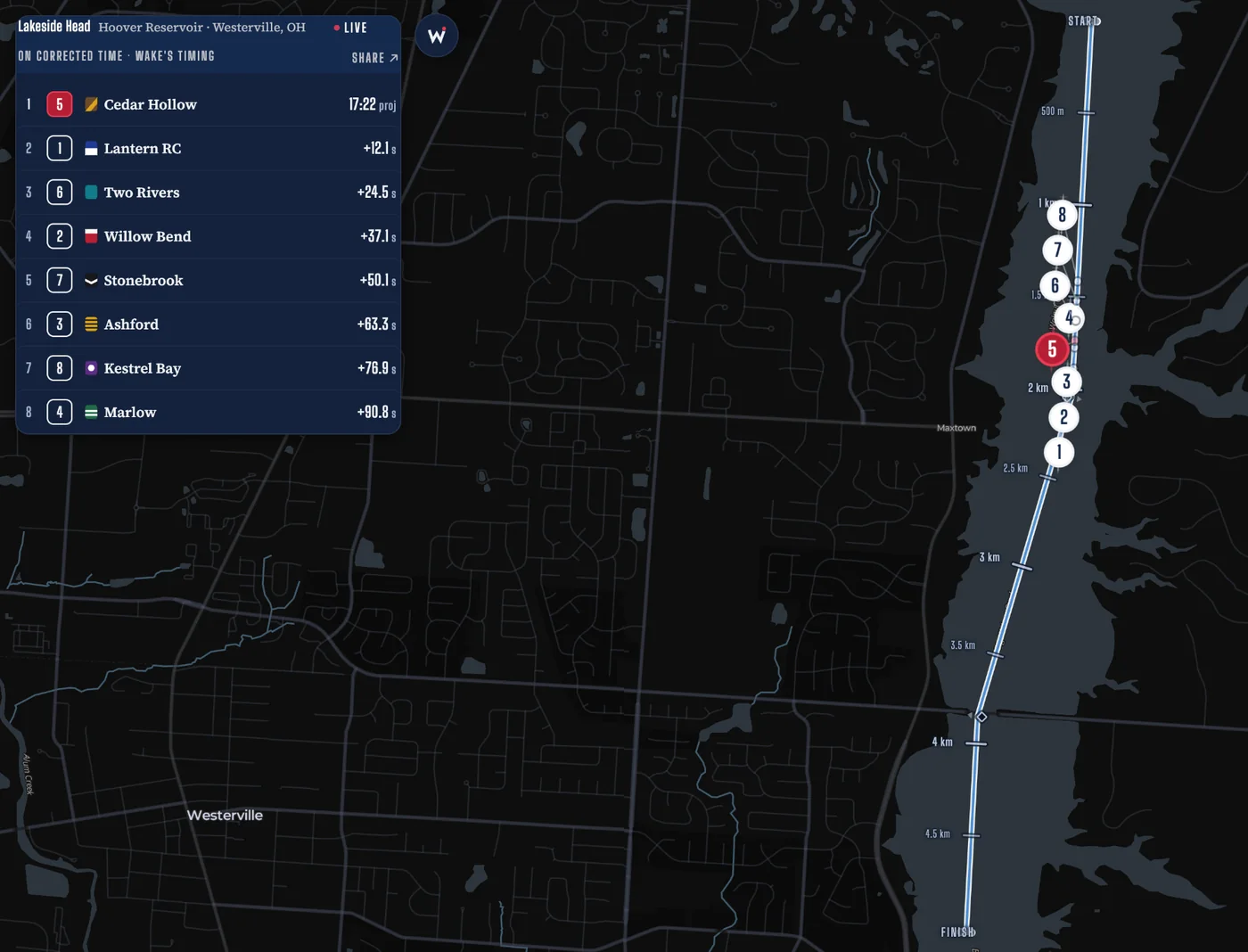
Racing at an event that uses Wake? Enter the race code from your program to follow your crew stroke by stroke.
Regatta
Get the app
Download it, tap row, and your first outing is already a report. No account needed to start. Sign in later and your history follows you.
Every row, captured and kept. Free is the whole app, not a trial.
What all your rows mean.
You start Pro inside the app. Every row stays yours either way: Pro adds ways of looking across them. Rowing with a licensed Wake Coach program? Pro comes with it.